
Tutorials

Discover practical instructions for working with our solutions in our free and non-binding tutorials. Deepen your knowledge and become an expert yourself. In a compact and clear way, you will receive all the important information that will support you in your daily work.

Tutorials for CAS genesisWorld
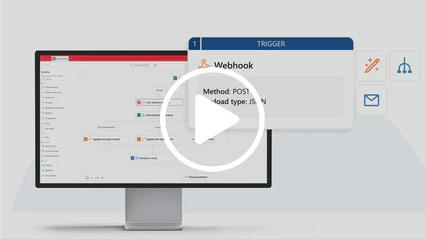
Lightweight Integration with Third-Party SystemsWatch the video tutorial to find out how you can use webhooks and business process automation to seamlessly transfer information from third-party systems, such as a website contact form, directly into your CRM.chevron_rightWatch now
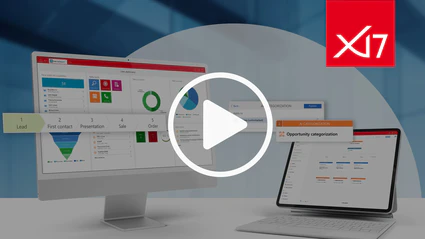
x17 โ€“ Highlights of the New VersionThe latest generation of our CRM + AIAยฎ system combines smart automation, advanced AI features, and intuitive usability to provide you with even better, customer-centric support for your tasks.chevron_rightWatch now
Capture and Follow Up on Trade Show Leads EfficientlyHow many promising trade show contacts are lost after the event because follow-up is too time-consuming? Watch the video to learn how to follow up on your next trade show much more efficiently and immediately turn prospects into real sales opportunities.chevron_rightWatch now
Follow up leads efficiently with XRM emailsSee how you can use XRM emails as a powerful tool for targeted and automated communication with your contacts. For example, automated circular emails can be sent from the lead or contact report.chevron_rightWatch now
Telephony integration in CRM for better serviceIn this tutorial, we will show you how our CRM solutions can help you to document customer communication and increase transparency in CRM.
Thanks to the seamless connection between telephony and CRM, employees can make, receive and document calls directly from the system.
chevron_right
Watch now
Data maintenance made easy: address and data qualityDashboards and checklists can be extremely useful for quickly identifying and correcting incorrect or incomplete data. We will show you how you can easily set up automatisms and notification services with CAS CRM to maintain your data more efficiently and make data quality management easier.chevron_rightWatch now
Work quickly and easily with templatesTemplates simplify entire processes, especially in sales. You can use them to great impact for sales opportunities, quotation items and the creation of quotes in Word through to the follow-up telephone calls.chevron_rightWatch now
Win-loss analysis in salesIn this tutorial, we will show you how you can easily integrate a win-loss analysis into your individual sales process with CAS genesisWorld in order to systematically uncover potential for improvement.chevron_rightWatch now
Improving data quality simple and fastData management can be so simple: We will show you how you can use CAS genesisWorld to check and maintain your addresses efficiently and actively in order to improve address quality considerably.chevron_rightWatch now
Track goals easily and clearlyIn this video, we show you how to design your individual target cockpit and make your target and actual data available transparently. This allows you to identify deviations promptly, initiate countermeasures in time and achieve your goals efficiently.chevron_rightWatch now
Donโ€™t search, find!In this tutorial, you will learn how the intelligent search functions in our CRM solution CAS genesisWorld help you quickly and efficiently access all important information and directly edit it.chevron_rightWatch now
Manage gifts and compliance rules digitallyOur CRM solutions support you in the digitalisation of all your processes. We will show you how you can also use CRM to digitalise your gift management and transparently map your compliance rules.
chevron_right
Watch now
Digital CIP โ€“ Continuous improvement processSimple and effective with crm. In this video we show you possibilities and ideas on how you can digitalize processes and map them in our crm software. chevron_rightWatch now
SmartDesignยฎ: Intuitive Handling of CAS genesisWorldThe SmartDesignยฎ technology of CAS genesisWorld ensures intuitive usability on all devices โ€“ whether desktop, tablet or smartphone.
chevron_right
Watch now
Access Your CRM Data OfflineIn a connected world, it is important that you can access your data anywhere and at any time. In this tutorial, we will show you how to make your CRM data visible offline in CAS genesisWorld.chevron_rightWatch now
CAS Outlook IntegrationIn this tutorial, you will learn how to connect Microsoft Outlook to our CRM system CAS genesisWorld and how to link your communication conveniently and easily between CRM and mail client.chevron_rightWatch now
Mobile signing from anywhereObtain the electronic signature of your customers and business partners directly on site via your tablet or smartphone and have your offers, minutes or proof of activities digitally signed.chevron_rightWatch now
Targeted MarketingWith CAS genesisWorld as your CRM solution, you can plan and manage target audience-specific marketing activities. In this tutorial, we will show you how to design targeted customer communication.chevron_rightWatch now
Efficient Use of Graphical Board ViewsGraphical board views through CAS SmartDesignยฎ in CAS genesisWorld Web provide a good opportunity for a more efficient workday and improve clarity.chevron_rightWatch now
Starting MS Teams Chat & Call in CAS genesisWorldIn this tutorial, we will show you how you can easily store MS Teams meetings and chats in CAS genesisWorld and start them from here.chevron_rightWatch now
CRM & CPQ: Integration of CAS genesisWorld and CAS Merlin CPQIn this tutorial, we will show you how to benefit from the seamless integration of CRM and CPQ for the automatic transfer of customer data as configuration parameters.chevron_rightWatch now
Emojis โ€“ Dynamic Masks for User EnthusiasmBring even more life to the screens of CAS genesisWorld. This is how you inspire your users in their daily work with CRM.chevron_rightWatch now

CAS App Designer tutorials

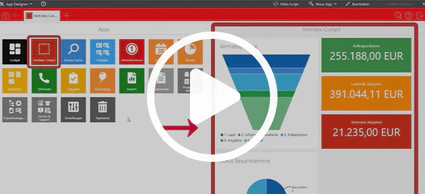
CAS App Designer: Create individualized dashboards easilyIn this tutorial you will learn how to create role-based dashboards and work efficiently with business metrics & charts.chevron_rightWatch now
CAS App Designer: Adjust your address management in CAS CRMLearn to put your customer at the centre of your actions. Achieve optimal contact management with a 360ยฐ view in your customer dossier.chevron_rightWatch now
expand_less